



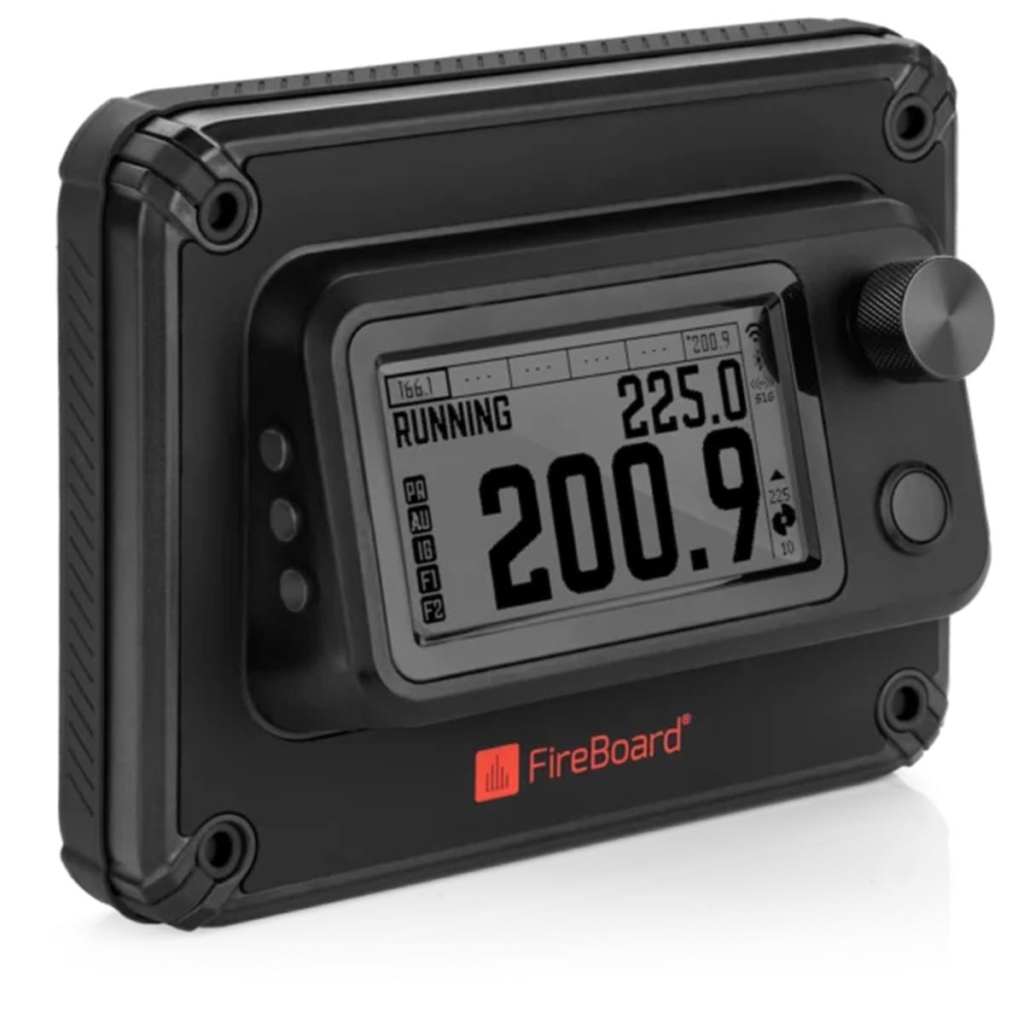
The Fireboard Pellet Drive is a Temp Controller With Detailed Remote Monitoring.
Overview
The FireBoard Pellet Drive is a drop-in replacement for the temperature controller found on basic pellet cookers. It interfaces with the cooker’s existing temperature sensor, auger drive, igniter, and fan(s), providing improved temperature regulation and connectivity with a smart phone and the cloud. It accepts up to six wired probes and 32 wireless Pulse probes, providing extensive monitoring capability locally or, if using Wi-Fi, anywhere where an internet connection is available. The FireBoard Pellet Drive uses the same app as other FireBoard thermometer systems, so it will feel very familiar to owners of their equipment.
Installation
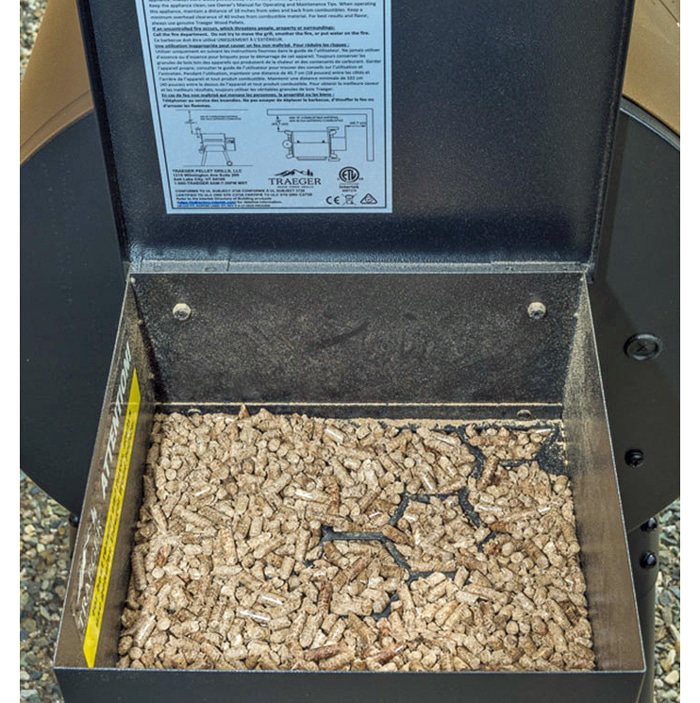
I installed the Pellet Drive on a Traeger Pro 22, an entry-level pellet smoker. This cooker came equipped with a very simple controller that allowed you to select temperature ranges that varied in 25°F increments. There was no capability to control or monitor the cooker remotely. It worked fairly well, but I had to stay nearby so I could visually verify the progress of the cook. The FireBoard Pellet Drive removes those limitations, giving me a level of control found only on much more expensive smoker models.
Each smoker manufacturer uses its own hardware, connectors and wiring harness. This demands a different wiring bundle for each family of smoker. It’s a given that not all augers, igniters, and fans will operate on the same voltages, so making a universal product will pose challenges. That said, adding the Pellet Drive to my Traeger pellet smoker was easy because Fireboard apparently designed it for that particular product line. The Pellet Drive that I tested uses the same connectors as the Traeger controller, so hooking it up was a piece of cake. (A glance at FireBoard’s website revealed some upcoming models aimed at specific brands. That should address the compatibility issue mentioned above.)
Installation was simple: 1) remove the existing control module from the pellet hopper, 2) disconnect the Molex connectors from the sensor, igniter, auger and fans, 3) drill a couple of mounting holes, 4) reconnect the hardware to the Drive’s wiring harness, and 5) screw the new unit to the hopper. There are a couple of mounting methods that employ some additional hardware, so you should be able to find a mount that works with your smoker.

Initial Setup
After installation, there are a few steps needed to get your FireBoard Pellet Drive talking to your router so you can monitor and control temperatures from anywhere. If you only need to communicate locally, that can be done via Bluetooth without an internet connection.
Once connected, you press the power button and the unit boots up. Set the desired temperature using the main control button, press it, and Pellet Drive does the rest. You can customize the information shown on the LCD display, but you have to configure it from the front panel. You have options for the main display that include huge numbers and graphs with different scales on the time axis. At this point, you can control or monitor everything else via your Apple or Android phone. The FireBoard app will display all the pertinent info on your smart phone or tablet, and the same data will display on their website as well. You can share the cooking data with others if you like.
Cooking with the Fireboard Pellet Drive
FireBoard Pellet Drive allows you to create multi-step cooking profiles that are triggered by time and/or temperature. You activate these from your phone or tablet. You can modify them as needed. You can configure audible alarms when time and/or temperature targets have been met. If you connect Pellet Drive via Wi-Fi, you can also monitor and control your cook using your computer and a browser anywhere where an internet connection is available.
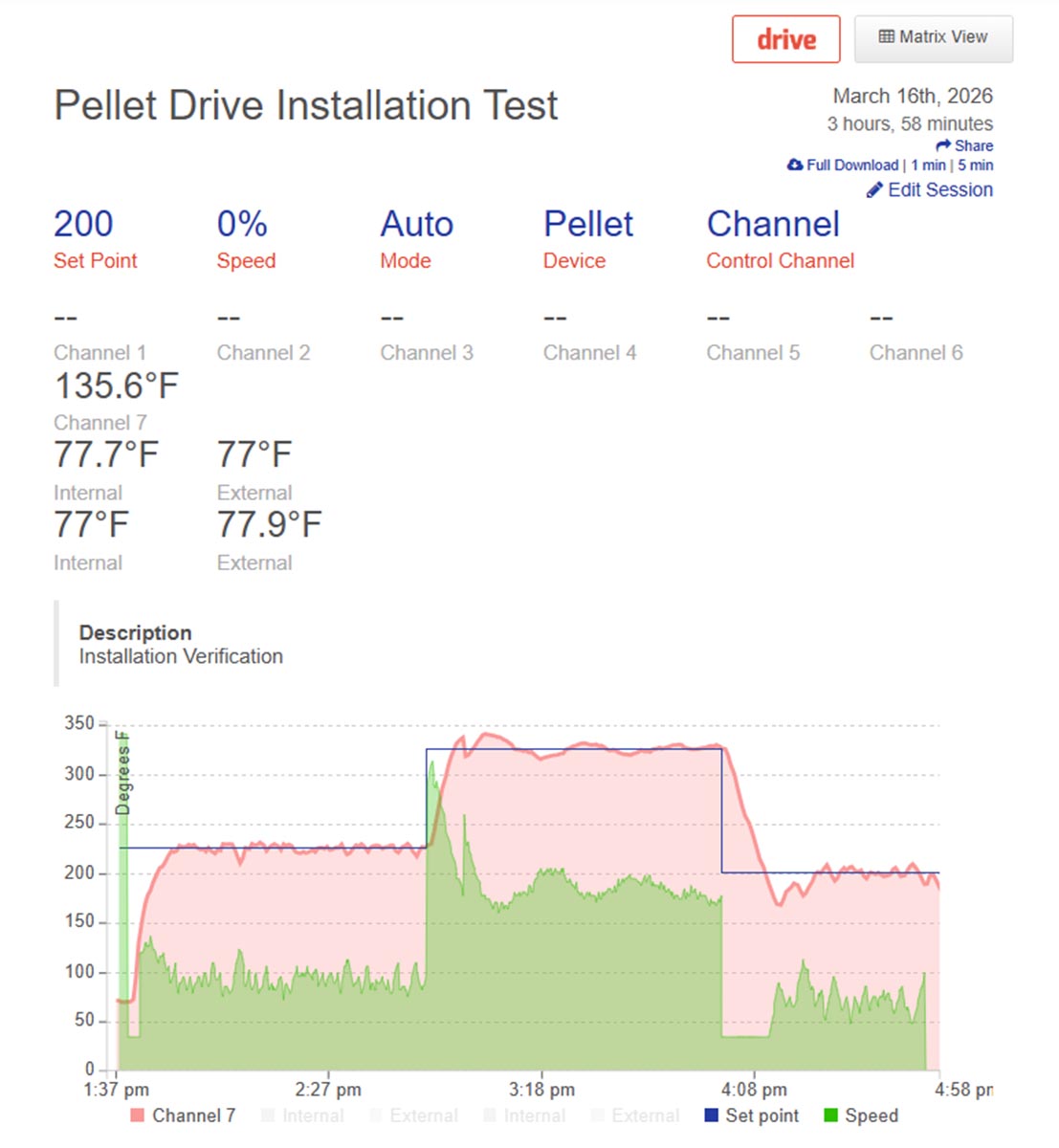
Here’s a screen shot, taken from the FireBoard website, of the temperature vs. time graph of my test cooking session. I made a couple of changes to the target temperature during the test and the Pellet Drive did the rest. As you can see, the Pellet Drive did an excellent job of controlling the temperature of the cooker.
The Pellet Drive can communicate with Pulse wireless probes via S1G and you can plug in any FireBoard wired probes as well. The Pellet Drive will send data from any active probes to your phone or up to the cloud without additional steps.
Documentation
The Pellet Drive comes with a quick-start installation guide and a user’s manual. These manuals leave a bit to be desired, IMO. Maybe I’m just too much of an old fart, but I would really like to see a little more detail on how to operate this gadget. It’s not that I can’t get it running properly (I am an electrical engineer), but I feel like I might be missing some very useful features that aren’t immediately obvious from pushing buttons. Firmware updates would render just about any printed manual obsolete in short order, but an online version in pdf format would go a long way toward showing a user all the cool things you can do with this hardware. The more info users can access online, the less time they will spend talking to tech support like I did. (Thanks for all your help, Wendy.)
There are a few slightly awkward button sequences required during setup, but I’m pretty sure that these will be fixed in future firmware and app updates. This is a new and sophisticated product, so evolution is to be expected.
Fireboard Pellet Drive Conclusion
So, what do I think? I’ve been reviewing FireBoard products from the get-go, and I’ve always liked them. I use a FireBoard2 as my go-to in-food/in-oven thermometer system. The FireBoard Pellet Drive adds so many usability features to my basic Traeger pellet smoker that I’m sure I will use it more often. Go ahead, splurge!




Before you can post a comment or question you must sign into our commenting partner, Disqus. This helps make sure everyone hanging around the grill is civil. We do not tolerate nastiness, racism, porn, inappropriate language, or attacks on others. All comments are the property of AmazingRibs.com and we reserve the right to quote them, edit them, delete them, and block people from making future comments.
Please leave comments and questions on the same page that is devoted to that subject so others can see questions and our answers when they are reading about the subject. You must enable JavaScript to use the comments section, and you must accept cookies to post comments. Note: the software that runs Disqus is different from the Pitmaster Club, so members need to sign into the Pitmaster Club separately.