Just How Smart Is The Current Model P Smart Pizza Oven?

Published On: 2/13/2026 Last Modified: 2/16/2026
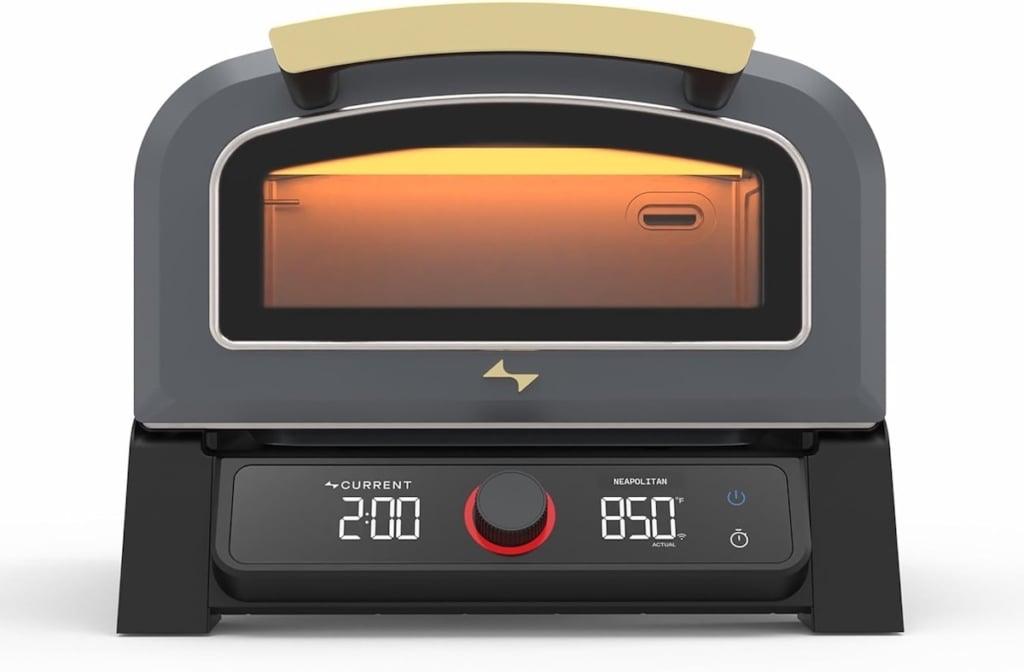
The world’s first “smart” pizza oven automates almost everything
For the past few years, Current Backyard has been gradually lighting up the cooking world with a line of all-electric, app-connected appliances, including the Gold-Medal rated Model G Dual Zone Grill. Its latest release? The Current Model P Smart Pizza Oven, a compact, electric oven that reaches temperatures around 850°F, hot enough for a Neapolitan-style pizza. Model P plugs into a standard 120-volt outlet, draws 1750 watts, and is rated for both indoor and outdoor use. The oven features 8 cooking modes with preselected cook times and temperatures and a companion app that allows you to monitor and partially control the oven from a smartphone or other connected device.
Basic specs and features
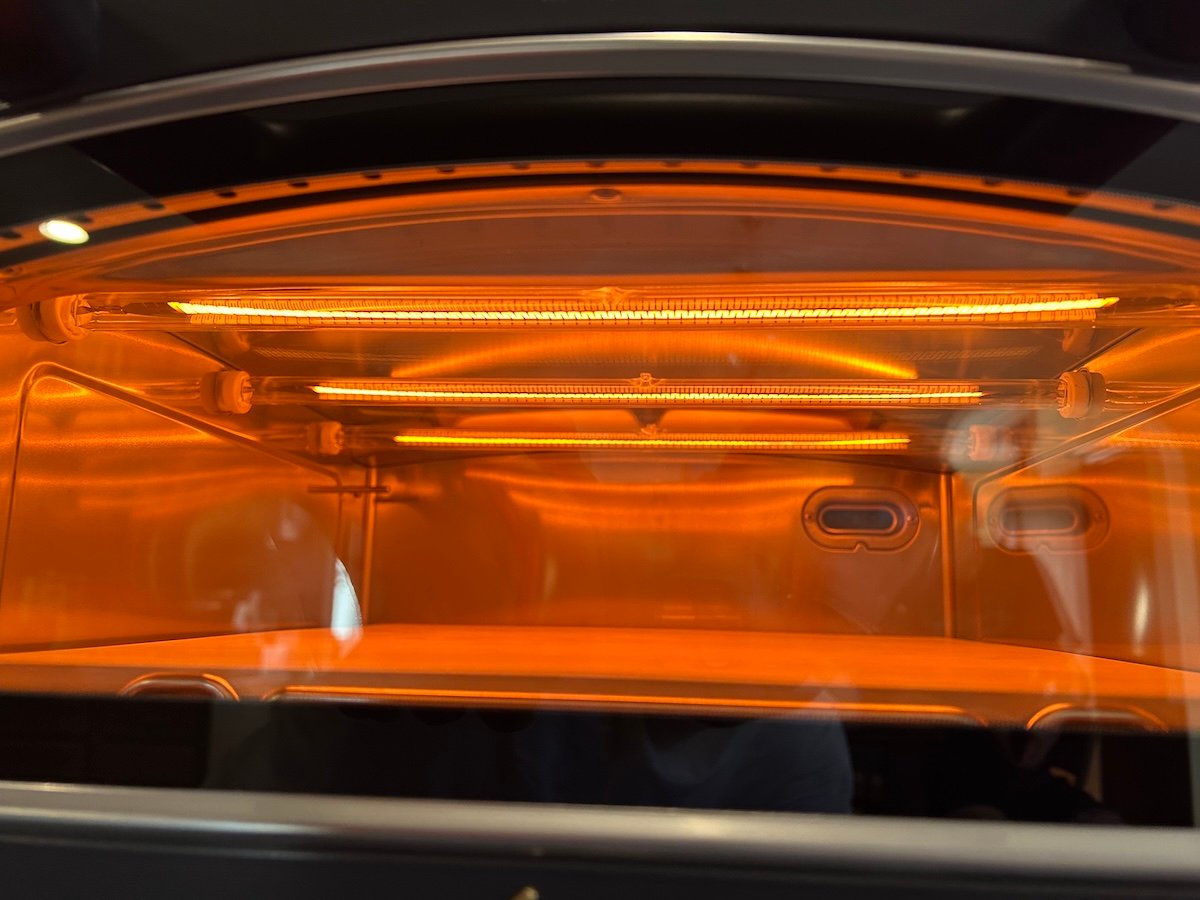
Model P’s body is made mostly of steel with two heating elements inside on the top and bottom. Top heat comes from a series of three parallel graphene tubes. Graphene heating technology is often used for industrial heating applications for its high thermal conductivity. On the bottom, under the pizza stone, heat is delivered by the more familiar metal coil heating element in a circular shape.
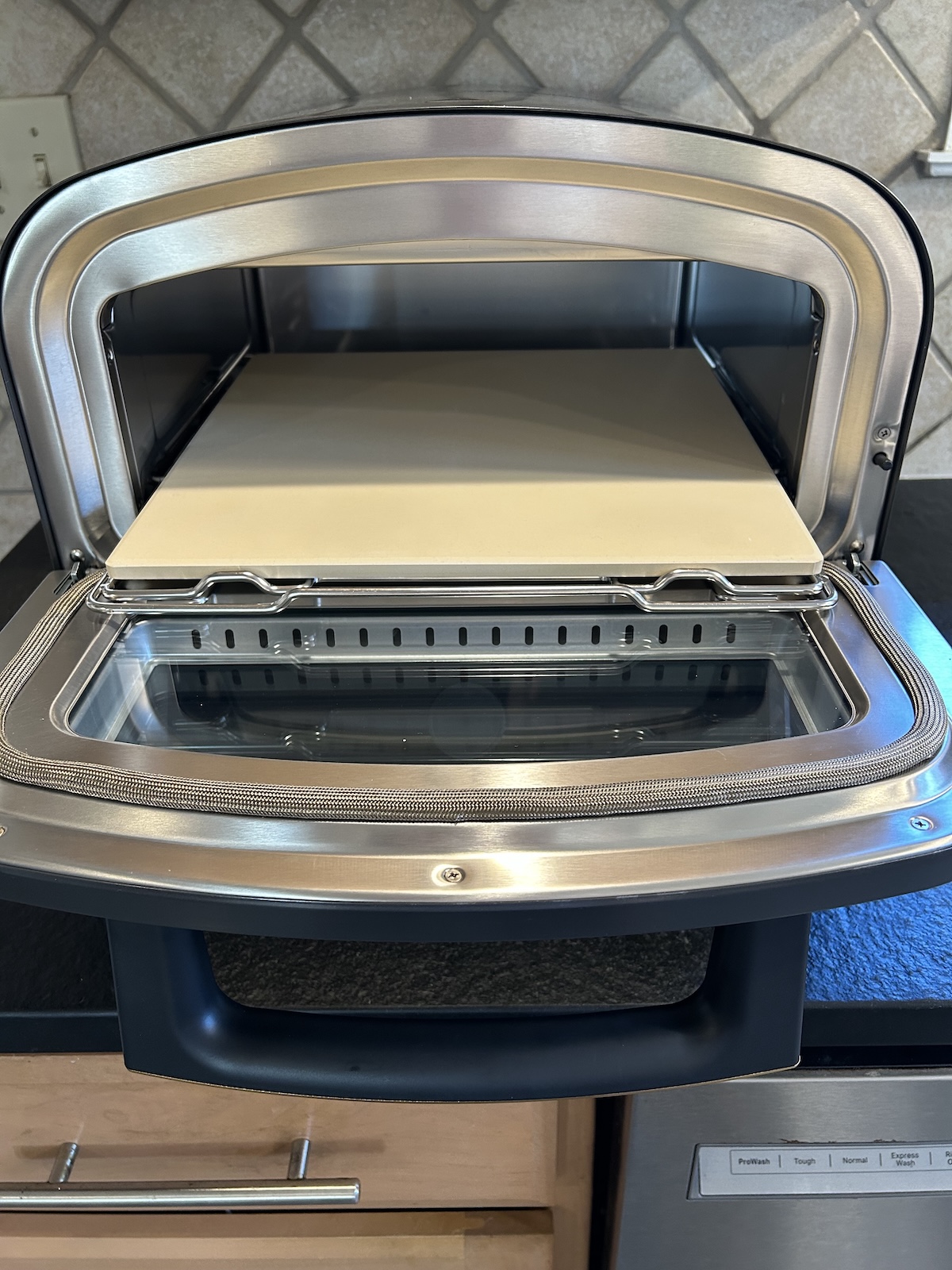
The pizza stone itself sits on a steel slide-out rack and is 13-inch square, 3/8-inch thick cordierite (magnesium aluminum silicate ceramic) that’s easily replaced if it cracks ($39 from Current). Model P is about the size of a deep toaster oven, 12.2 inches D x 17.5 inches W x 14.2 inches H, and weighs around 31 pounds, so it’s easy enough to move from your kitchen to your patio if you want to, say, make pizza inside in the winter and outside in the summer.
Model P comes in slate or sand colors and does not include any accessories. Current sells those separately if you want things like a cover, rolling cart, pizza peel or cutter, gloves, or a set of cast-iron sizzle plates. I did test the sizzle plates.
Controls
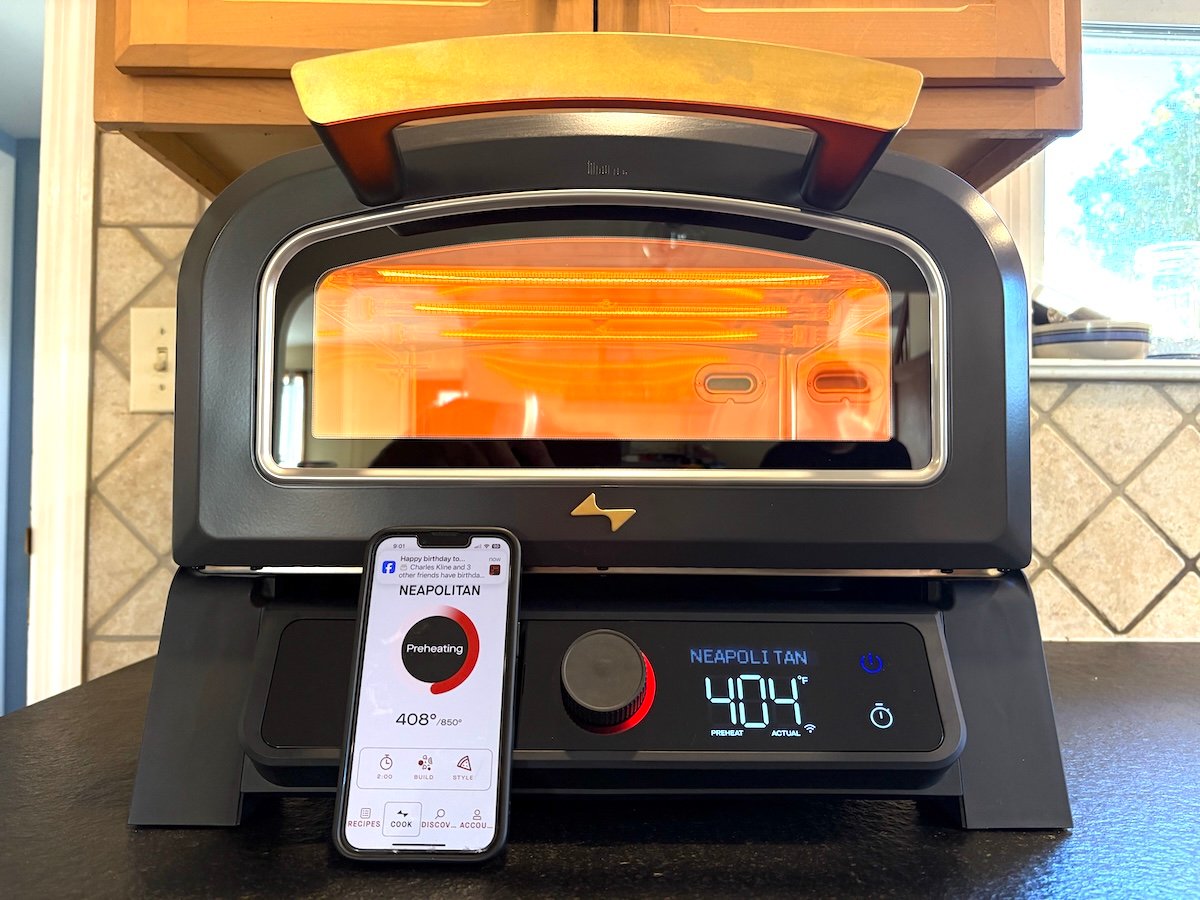
Current markets the Model P as the world’s first smart pizza oven that’s Bluetooth and Wi-Fi-connected so it can be controlled from a smartphone. Its smart system is similar to that of today’s smart pellet smokers that let you set various temps and times for the cooker and monitor everything remotely in a WiFi or Bluetooth-connected app on your phone.
Current’s algorithms adjust the top and bottom heating elements according to your chosen cooking mode. In the Fall of 2025, the Model P I received had five pizza cooking modes with predetermined oven temperatures and cook times: Neapolitan (850°F, 2 minutes), New York (635°F, 6 minutes), Thin Crust (635°F, 6 minutes), Frozen (545°F, 9 minutes 15 seconds), and Broil (600°F, 6 minutes).
After tapping the power button to turn on the oven, you rotate the center control knob to choose one of these preset cook modes, and then press the knob to confirm the choice. The control knob is super-easy to turn, so if don’t press directly in the center, it can slip and change the preset mode on you—a little annoying but not a big deal once you get the hang of it.
The control knob has a prominent light ring around it: Blue = standby (no selections made). Red = active preset cook mode, which means it pulses partially red during preheat, then it glows solid red when the set temp is reached. If the ring glows orange, there’s an error. Glad I never saw the orange.
After confirming the oven’s cook mode, you can change the preset parameters, but only within limits: just rotate the control knob to change the set temp, and press the knob to confirm the new set temp. Likewise, you can tap the timer button to activate the set countdown time, and then rotate the control knob to change the countdown time, then press the control knob to confirm the new time. Rotate to select, press to confirm. That’s the drill with the Current Model P. Get used to it. Once the oven reaches the set temperature, you have to press the control knob again to actually begin cooking, which starts the countdown clock.
During preheat, the display on the front of the oven alternates between the set temp and the actual temp. Once the set temp is reached, it displays only the set temp. Model P also has auto-shutoff: If the set temp is reached but there is no activity for 15 minutes, first a warning appears. That means, hurry up and get your pizza in the oven and press the knob to start cooking. After the warning, you get 5 minutes, and if there is still no activity, the oven shuts off.
Current says Model P is designed for “busy foodies, social entertainers and home innovators who embrace cooking technology.” That means there’s almost no manual control. Nearly everything is automated and controlled by algorithms. Some folks may love that; others may not. It means that, unlike with most ovens, you can’t just turn on the Model P to your desired cook temperature and expect the oven to remain on at that temperature. You must first select a preset cook mode, then if you wish, change the preset cook temp and time as needed. But you can’t make unlimited changes. Here are the preset cook temp and time limits within each mode:
Model P preset temperature and time ranges
- Neapolitan, 750-850°F, 0-10 minutes (preset for 850°F, 2 minutes)
- New York 535-735°F, 0-15 minutes (preset for 635°F, 6 Minutes)
- Thin Crust 535-635°F, 0-15 minutes, (preset for 635°F, 6 Minutes)
- Frozen 500-700°F, 0-30 minutes, (preset for 545°F, 9:15 Minutes)
- Broil 400 OR 600°F (fixed), 0-60 minutes (preset for 600°F, 6 Minutes)
These preset temp and time ranges mean that certain cook temps are off limits. For instance, there’s no way to set the Model P oven to 740° or 745°F.
App: Don’t get smart with me
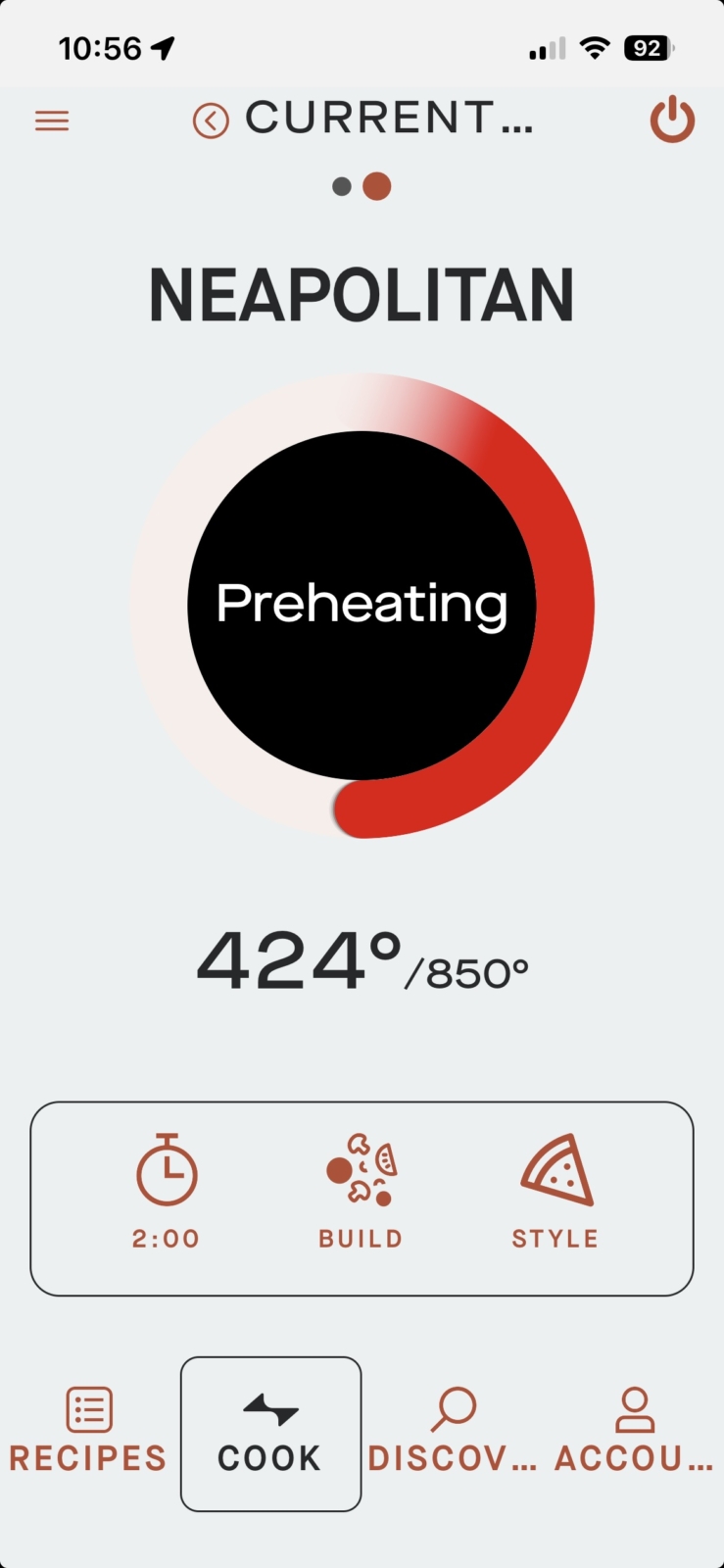
Current’s smartphone app covers all of their cooking appliances. If you already own Current’s Model G Dual Zone Grill or Model G Single Zone Griddle, you can use the app to control the Model P Smart Pizza Oven as well. The app is advertised as allowing you to “control, monitor, and adjust your pizza oven remotely” and “stay in command from anywhere—adjust temperature, check progress, and control every detail with ease.” However, in my tests, the app did not allow complete remote operation of the oven. You must power on the oven by manually pressing the power button on the unit, a safety standard imposed by the UL (Underwriters Laboratories). Only then does the oven appear as operable in the app. Once operable, you can select a cook mode remotely. However, in order to confirm the cook mode and get the oven to heat up to the set temp, you must manually press the unit’s control knob, another fail-safe to comply with UL standards. Current understands the potential consumer frustration here and is working to change the UL standards, but for now that’s how the unit operates. Fortunately, you can change the preset time and temp from the app—it features a handy button to “Add Time +30s.” You can also turn off the unit from the app. And it records your cook history, which is a nice touch.
Your pizza build
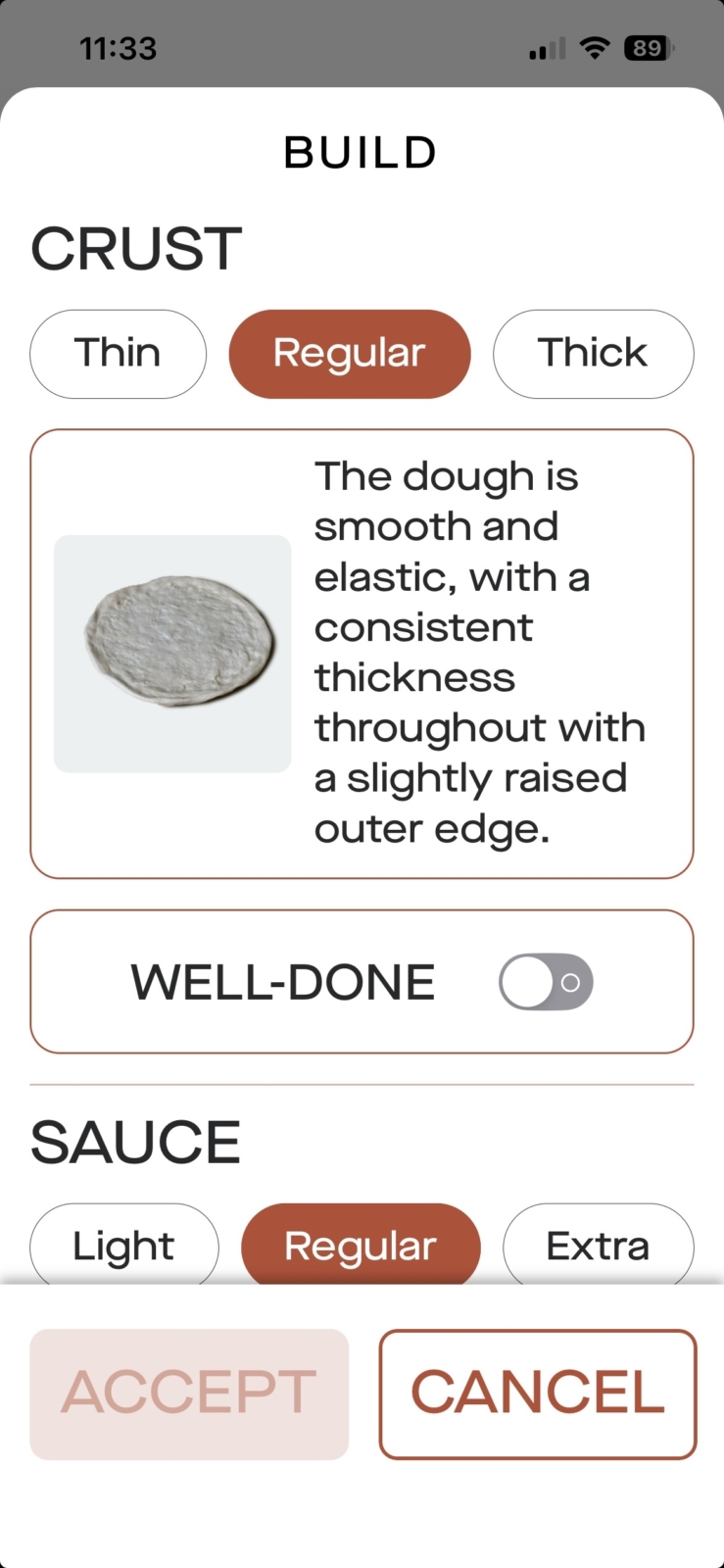
The app also offers some functionality that the oven does not: the ability to customize the pizza “Build,” which then automatically changes the cook time on the unit as well as the internal heating algorithm that controls the top and bottom heating elements. For instance, for all pizza cook modes, you can specify the Crust as Thin, Regular (the default), or Thick. You can also adjust the Sauce, Cheese, and/or Toppings from Regular to Light to Extra, which reduces or increases the cook time for each change accordingly. And you can toggle on a button for Well-Done.
On the app, you can also change cook modes, switching from, say, Neapolitan to New York style if you’re doing a few different types of pizzas one after the other in the same cooking session. Click here to find out more about different pizza styles and baking the perfect pizza.
When I first accessed the app in Fall 2025, it had only one pizza recipe for DD’s Neapolitan Pizza Dough. Since then, the app has been updated. As of this writing, the app includes 19 pizza recipes, a mix of doughs and complete pizzas of various styles with various toppings. It’s a good bet that more will be added. You can search the recipe database with terms of your choice, and you can Filter by “Ingredient,” “Cuisine,” and “Meal Type” (a.k.a. course, such as appetizer, dessert, entrée, or side dish). There is no way to filter recipes by appliance, which would be useful for core customers who own more than one Current appliance and may even be using two or more Current appliances simultaneously.
On the app, I also found 3 how-to articles, none of which are related to pizza: “How To Grill Chicken,” “What Is Indirect and Direct Grilling?” and “How To Reverse Sear a Steak”. Obviously, these are meant for owners of the Model G Dual Zone Grill. All three articles take you to the Current Backyard website. A “Shop” button on the app also takes you to the website.
On the website, I did find more than a dozen other pizza recipes from doughs and sauce to complete pizzas. These recipes were from various contributors and were a bit all over the place in terms of method and baking directions. But the content’s there if you need it.
Oh, and you might be wondering about the app’s range. Can you control the oven with your phone if you’re far away from the oven? If you’re on WiFi, the range will be as good as your WiFi connection. On Bluetooth, however, range is often limited by walls and distance from the unit. I’m happy to report I had zero issues with Bluetooth connectivity even with the Model P heating up in my garage (garage door open) while I was 50 feet away inside my brick house through three closed doors.
Temp tests
App or no app, presets or no presets, temperature is arguably the most important thing in a pizza oven, especially if you want to cook Neapolitan-style pizza. For that style, you need high temps of 800°F+. And for any oven you want even heating and accurate temp readings. A quick preheat time is a nice bonus, and for pizza, it helps if the oven recovers heat quickly between pies so you’re not waiting around for the oven to come to temp during you’re pizza-making session.
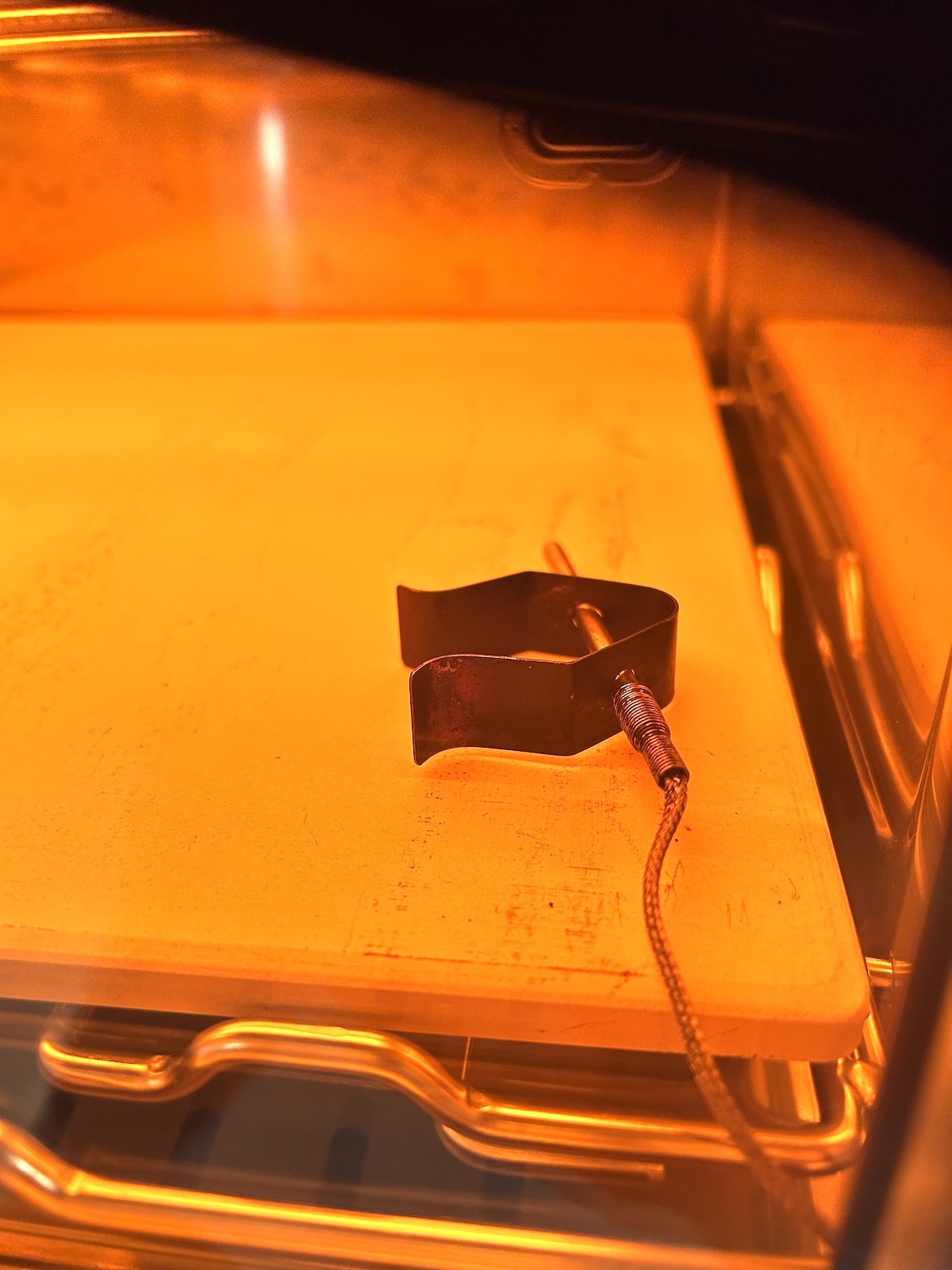
To test these temperature variables on the Model P, I set up my FireBoard temperature probe inside the oven as the oven sat on my countertop. The ambient temp was about 70°F. I put the temp probe on the bottom right front of the oven, resting 1/4 inch above the stone. That doesn’t quite measure the stone temperature, but it’s a little closer to what the pizza feels, so I prefer to measure temps there. Current’s temperature probe is mounted near the upper back left of the oven, where it is on most ovens.
I selected the Neapolitan cook mode for 850°F. After 20 minutes of preheating, Current’s digital display said the oven had reached 700°F. That’s a relatively quick preheat, although the Fireboard temp readout was a bit lower at 648°F. Ceramic pizza stones take longer to heat up than the steel walls of an oven, so I let the stone get saturated with heat for another 15 minutes. At that point, Current’s readout was at 780°F and Fireboard was at 750°F. Keep in mind that my test probe was placed near the front of oven, where some heat escapes through the oven door. In my temp tests for this pizza oven (and others), the area near the front door was consistently about 25°F cooler than the back. That happens no matter how well you insulate the oven or outfit the front door with thick double-paned glass.
I ran a few more temp tests and got the following:
Current Model P preheat times
- 12 minutes to 500°F on Current display (480°F on Fireboard)
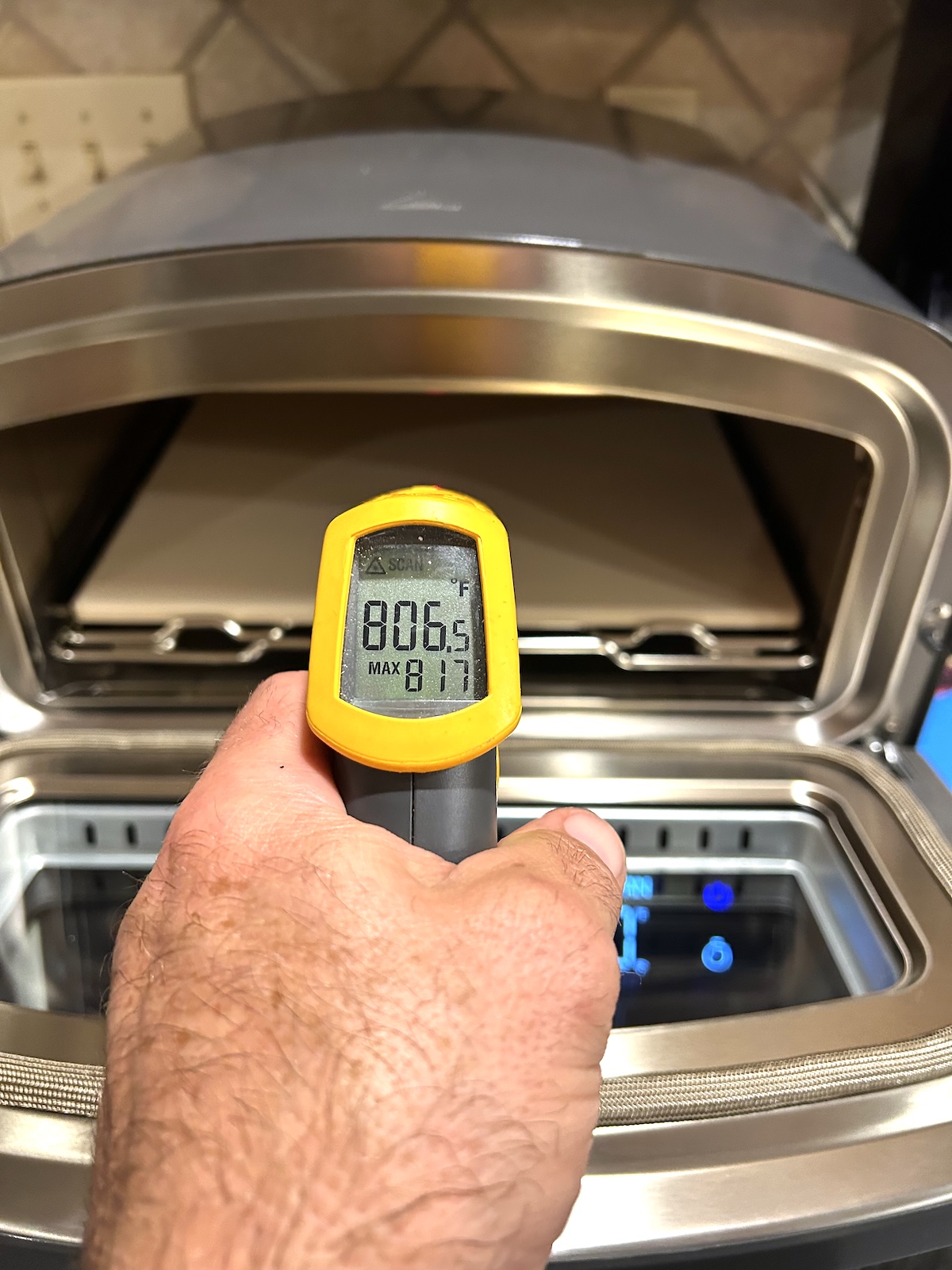
- 32 minutes to 850°F on Current display (725°F on Fireboard, 845°F on infrared thermometer pointed at center of stone)
Then I let the oven go another 10 minutes at 850°F to see if the oven exterior got too hot to touch. Here are the readings from my IR gun:
Current Model P exterior temps
- 250°F on top
- 180°F on sides
- 280°F on upper back
That’s pretty hot. This was after 45 total minutes of heating, which is a reasonable amount of time for an average pizza cooking session. Take care not to touch the top or place anything on top, and do heed the manufacturer warnings to keep this unit away from anything flammable.
At this point, the oven had reached the 850°F set temp, and the display said “Ready.” If you do nothing now, Model P cycles on and off to maintain its set temperature. If you load a pizza and press the control knob to begin cooking and start the countdown timer, it does the same. Then, when the set time is up, the timer beeps and the display reads “Pizza Ready.”
Presumably, you’d take out the pizza and either cook another one or turn off the oven. To see what the oven would do, I did nothing. The oven stopped cycling on and off and remained off. Over the course of 2 minutes of doing nothing, I watched the temp readings on the Fireboard drop from 725° to 700°F. This means that when your pizza is done cooking in Model P, the oven effectively shuts off. To get it to heat again, you must press the control knob: once to reset the timer, and then again to confirm you want to “Repeat Cook,” at which point the oven begins heating again. Current assumes this will all happen quickly and you’ll continue baking pie after pie, which is the usual course of events. However, if you don’t follow that procedure, let’s say because you got caught up in a conversation or you’re taking your time stretching out dough for the next pie, the oven stops heating. This, of course, will extend the recovery time, ie., the time it takes for the pizza stone to get back up to baking temp between pies.
Like I said earlier, here’s the drill with the Current Model P: Rotate to select, press to confirm. Get used to it. If you don’t play by this oven’s rules, it doesn’t work like you might expect it to. And there’s LOTS of beeping.
Cook tests
Now, to the real question: Does Model P bake a decent pizza?
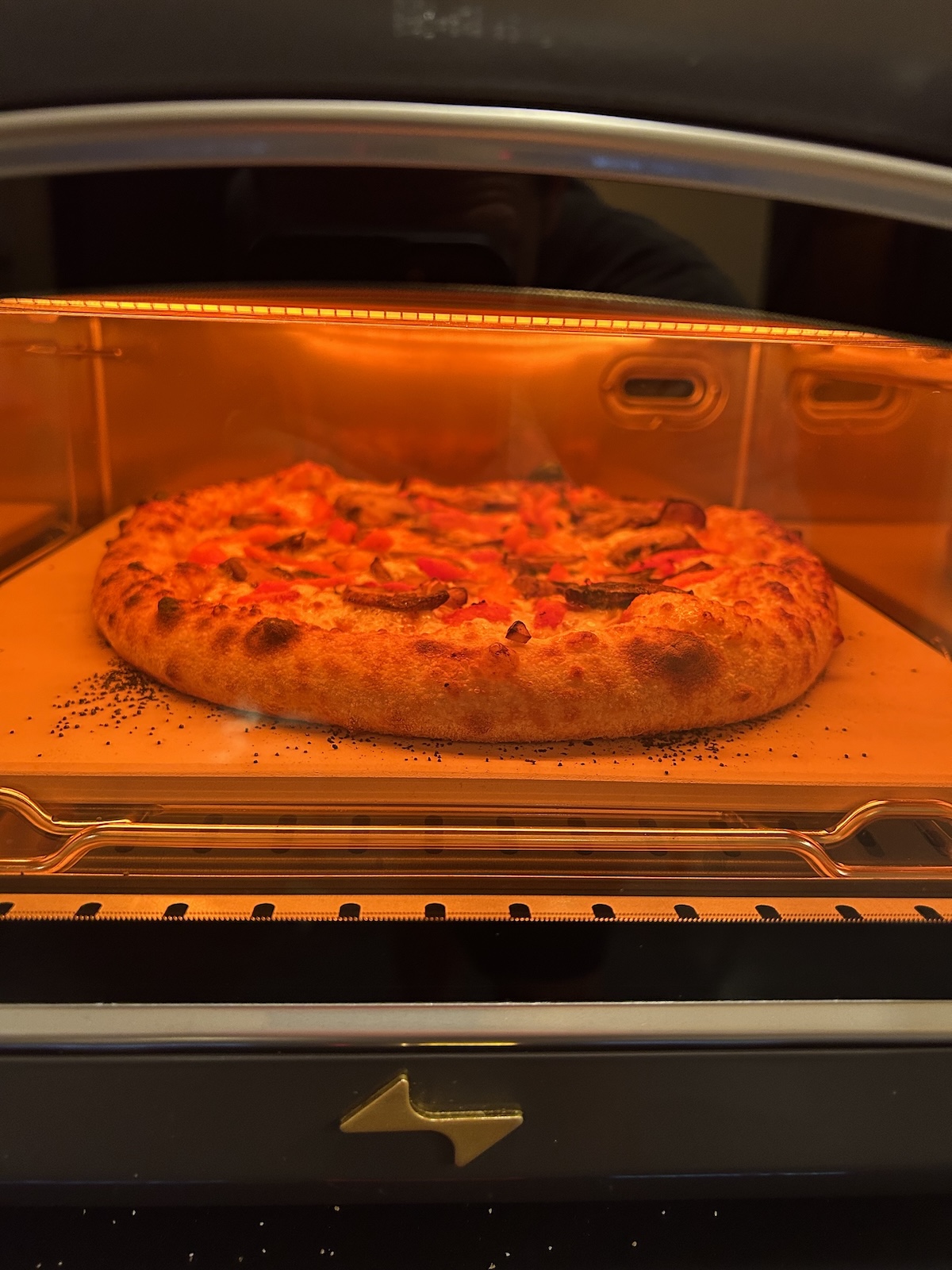
My temp tests got me up to speed on working this oven, so I started cooking. My first pie was Neapolitan style, using Marc Vetri’s Dough. I chose the Neapolitan preset: 850°F and 2-minute cook time. After a 30-minute preheat, the oven beeped and its display said, “Ready.” I launched the pie and pushed the control knob to start the 2-minute countdown timer. When the oven beeped again and displayed “Pizza Ready,” I opened the door and the pizza looked beautifully blistered on the rim.
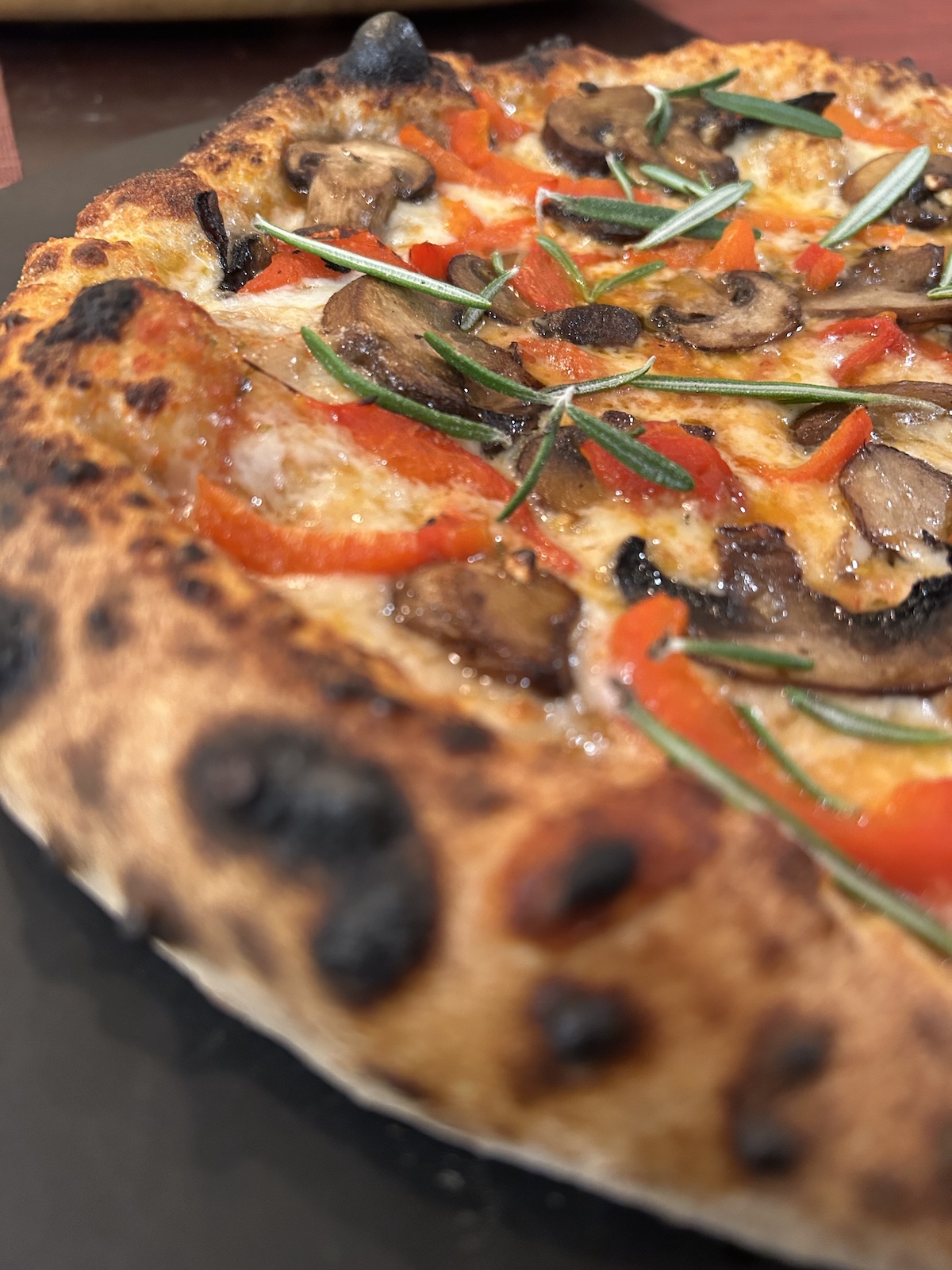
It was a very nice first bake.
Then I looked underneath: the undercarriage was a little over-charred for my taste.
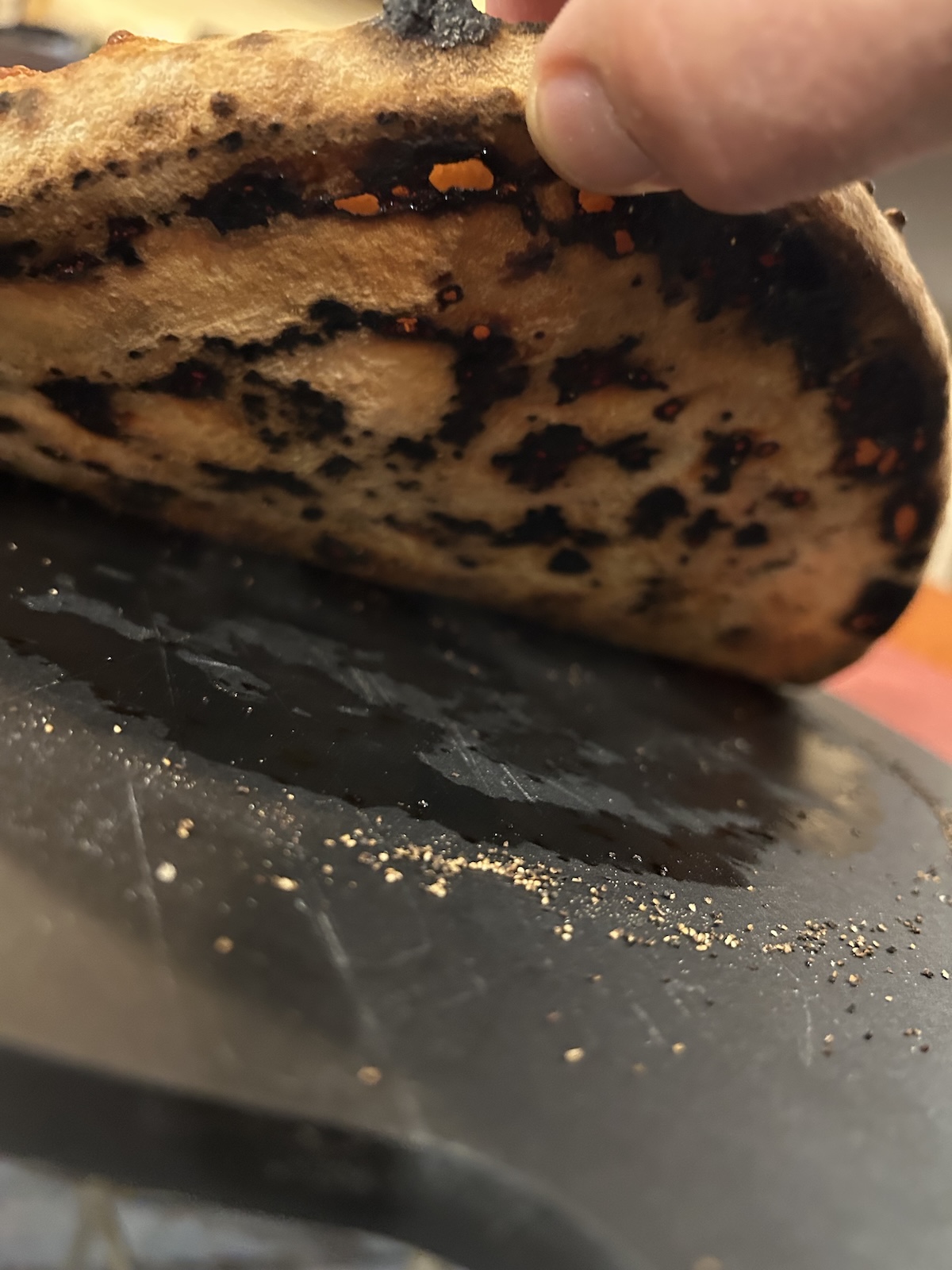
I hit “Repeat Cook” and lowered the oven temp to 800°F for the next pie. My dough tends to prefer that temp rather than 850-900°F.
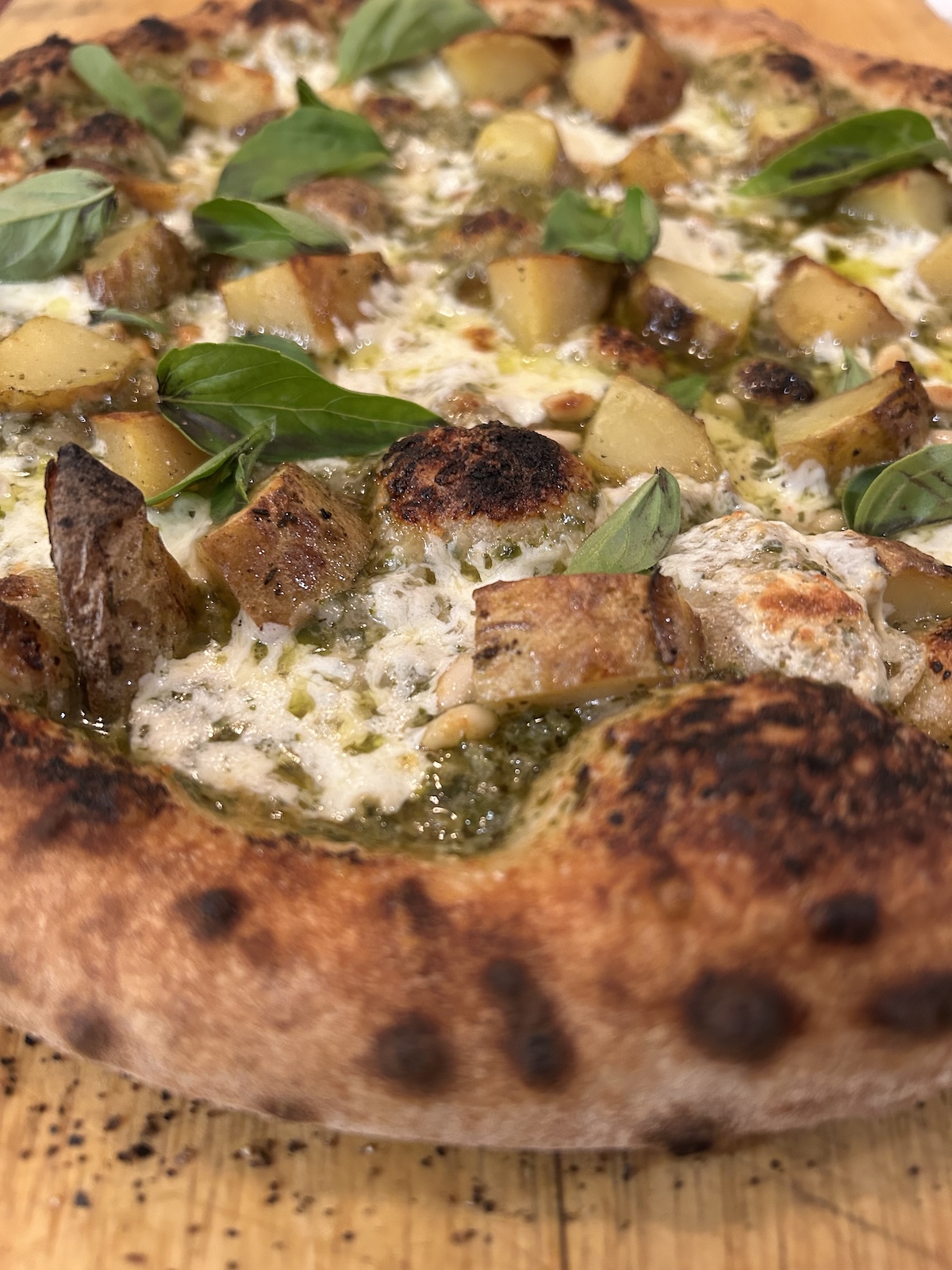
This time, I launched a potato pesto pizza with pine nuts, fresh mozzarella and fresh basil leaves. That one came out better than the first.
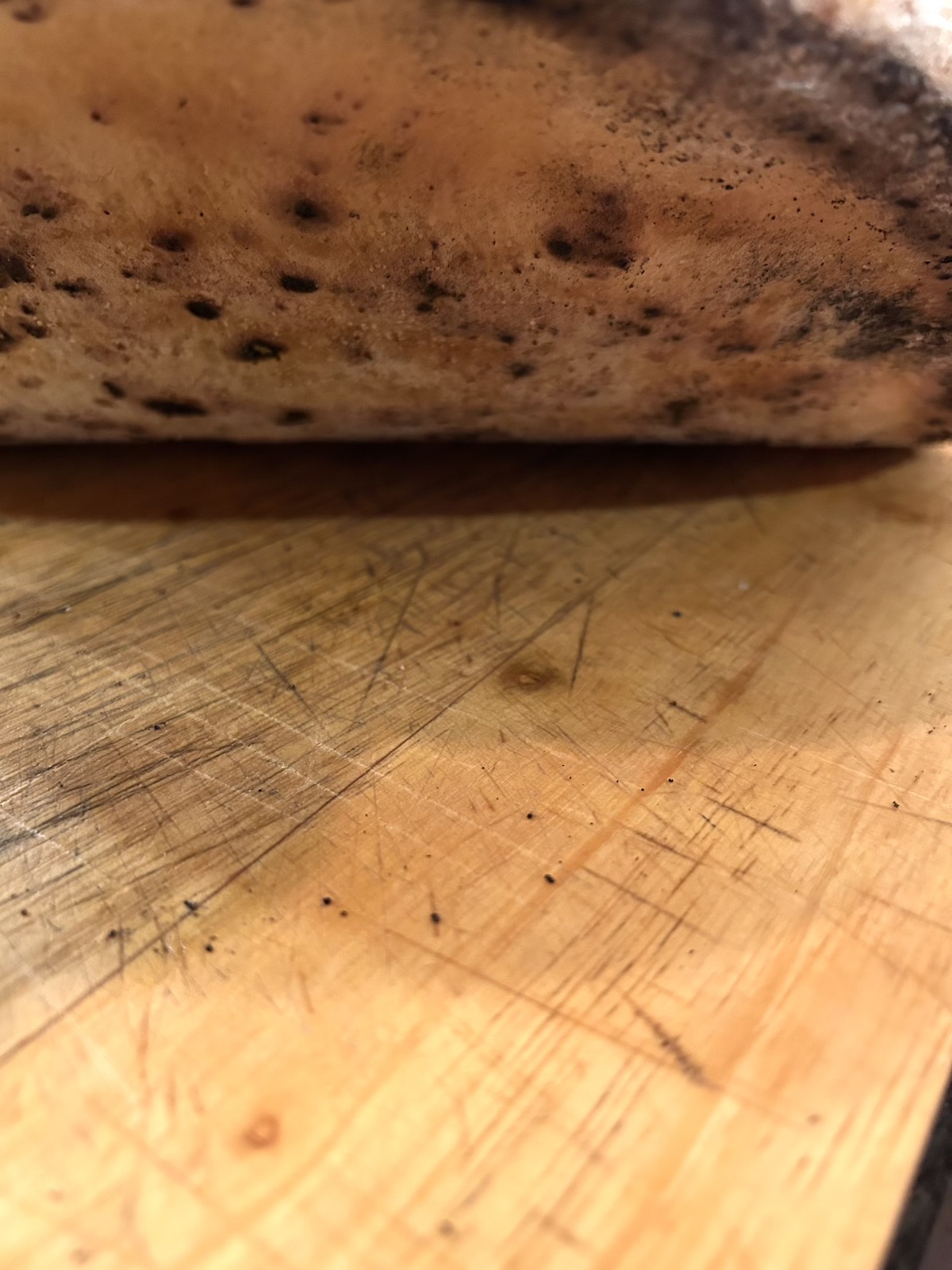
The undercarriage was on point: leopard-spotted but not burnt.
I baked my last Neapolitan-style pie of the night with the same slightly lower temp and time. This pizza is a new favorite at my house, a white pizza with caramelized onions and shaved Brussels sprouts. It came out great.
Detroit style
During my initial tests, Current did not have a “Detroit” style pizza cook mode. I love Detroit style pizza and have a recipe that calls for 700°F baking temp. I tried to choose “Neapolitan” and reduce the set temp to 700°F but the temp only goes down to 750°F in that mode. So I chose the New York presets and dialed the temp up to 700°F. Model P preheated and reached that bake temp in 20 minutes, which is nice and quick. But when the oven beeped, my dough wasn’t quite done proofing yet. So I let it ride. After 15 additional minutes, the oven beeped and the auto shutoff feature alerted my phone that the oven would actually shut off in 5 minutes due to inactivity. I quickly powered the oven off and back on again with the same settings to keep the oven heated at the correct temperature.
My Detroit-style dough recipe makes 2 doughs, each of which gets parbaked in a square deep-dish steel pan for a few minutes. From my temp tests, I knew the oven would stop heating between each bake unless I pressed “Repeat Cook” immediately after removing the first parbaked dough.
It worked fine. But I gotta say, I’m not a fan of working with a “smart” oven that requires you to tell it to simply stay on. That’s not so smart in my book.
The parbaked dough came out a little overdone on the bottom, probably because the presets for New York style increase energy to the bottom heating element to achieve a crisp bottom crust.
Detroit pizza on Frozen setting
The nice thing about parbaking Detroit dough is that you can wrap and freeze the crust for months then make pizza at a moment’s notice. The dough quality holds up pretty well.
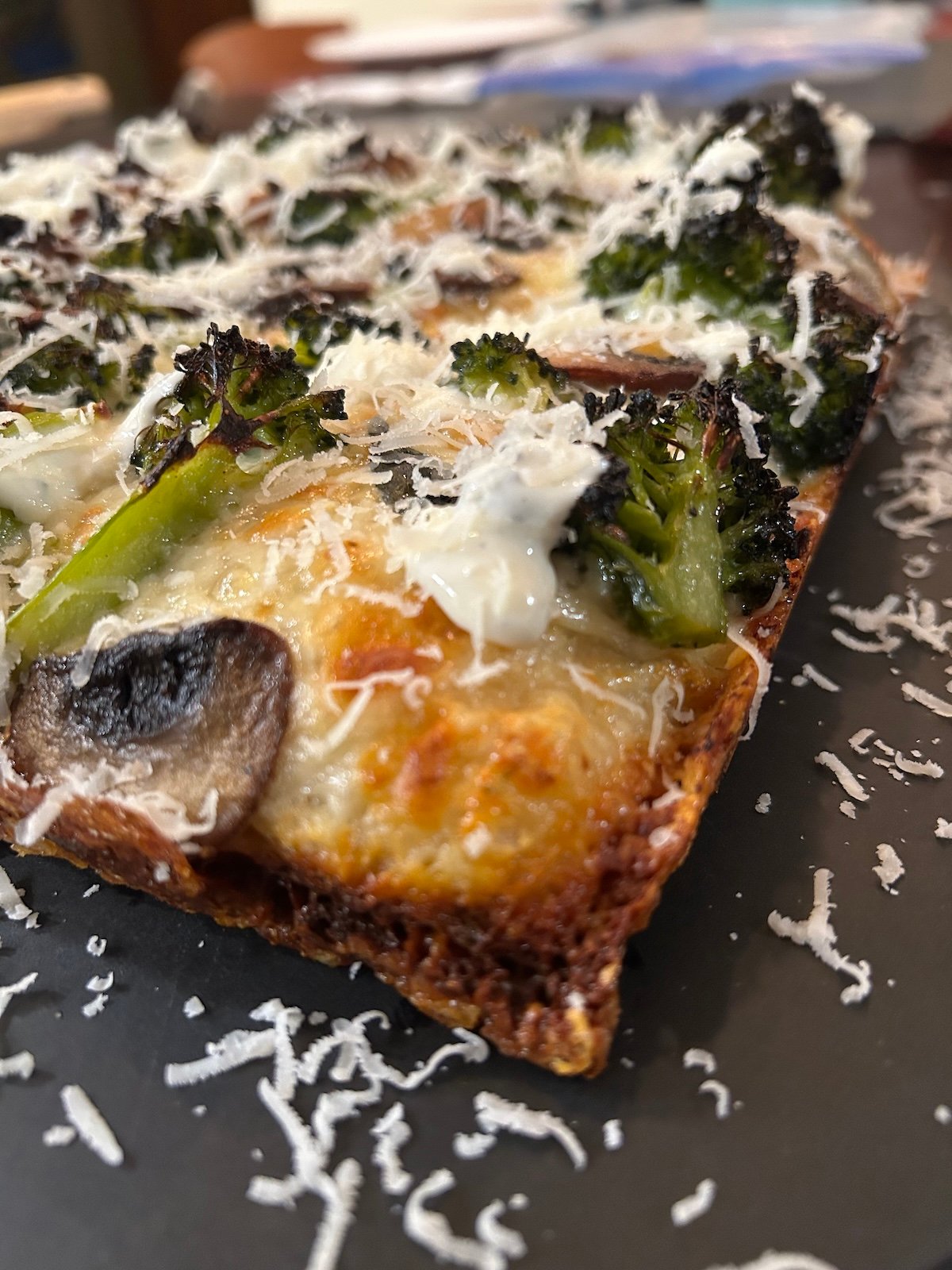
When I finally topped and baked these two Detroit pies, I tried another setting, Frozen. Maybe the Frozen algorithm would deliver more even top and bottom heat? The presets for Frozen are 545°F and 9:15 minutes cook time. I adjusted the temp up 700°F and cook time to 12 minutes. No big deal. I was getting the hang of working this oven.
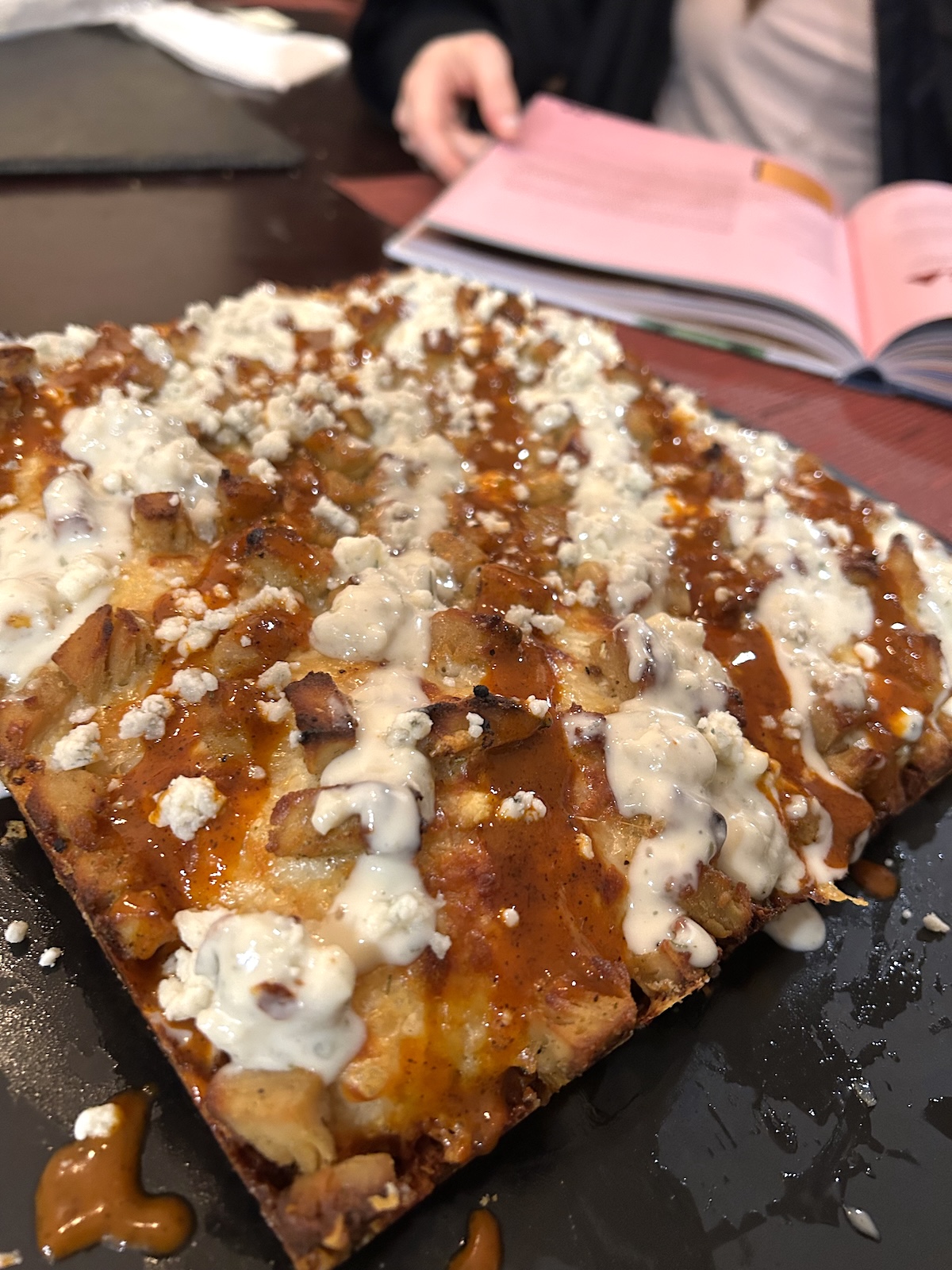
The pizzas came out really good, both a broccoli mushroom white pizza and a buffalo chicken pizza. The Frozen preset worked better than the New York for Detroit-style pizza.
New cook modes
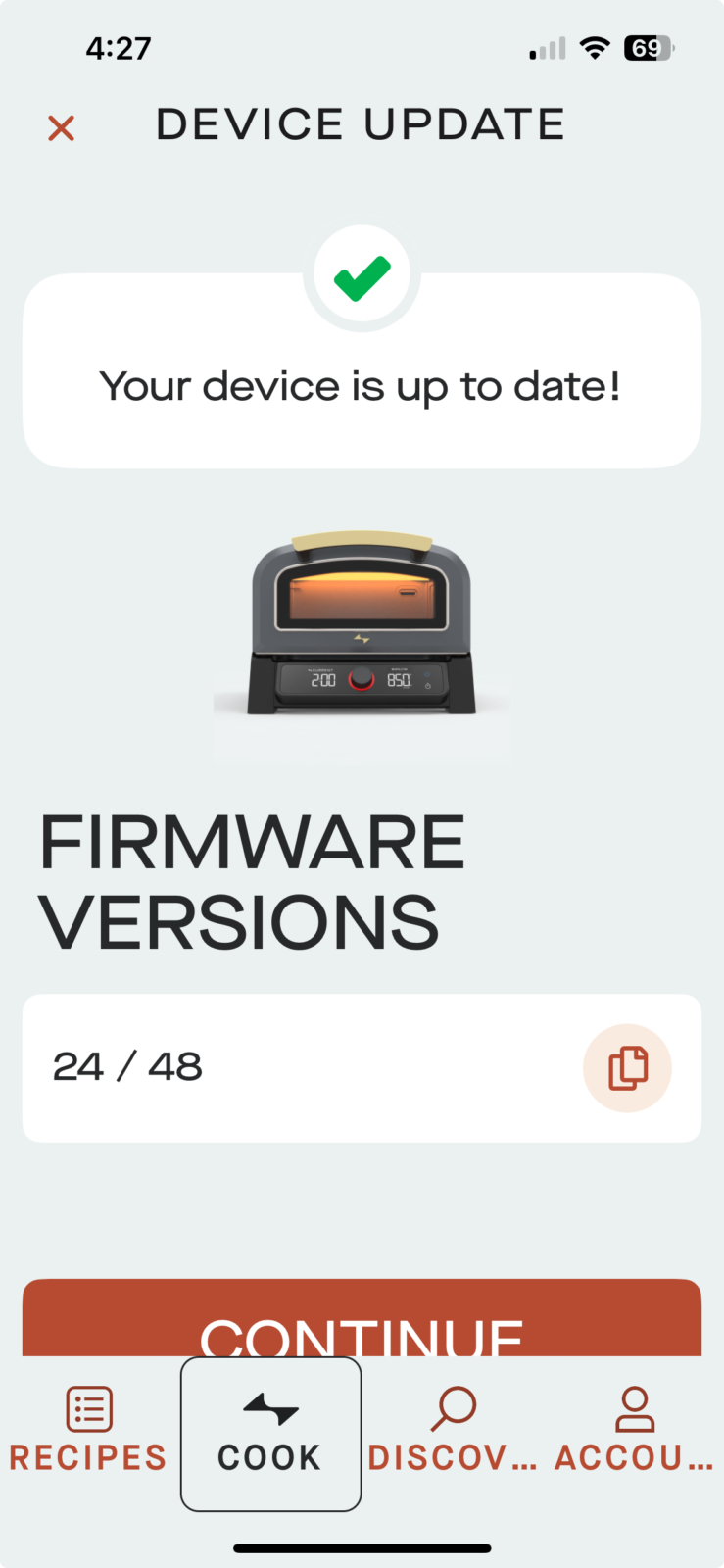
During testing, my contact at Current got in touch to ask how the review was going. I let them know I had an issue finding the ideal setting for a Detroit-style pizza. Then in late 2025, Current released a firmware update for the Model P through the app, adding three new cook modes for Sear, Bake, and Detroit pizza (coincidence?). Here are the preset temp and time ranges for those cook modes:
Model P preset temperature and time ranges
- Sear 680°F (fixed), :30-15 minutes, (preset for 680°F, 5:30 minutes)
- Bake 250-450°F, 0–99 minutes (preset for 350°F, 12 minutes)
- Detroit 600-700°F, 0-20 minutes (preset for 700°F, 9 minutes)
I was stoked to see that Detroit pizza had been added. No more fiddling with other presets to try and get my square pies properly baked!
And yet, after reviewing the temp and time ranges, I found that even with these new cook modes added, certain temperatures are still not available on the Model P. For instance, in Bake mode, the temperature range tops out at 450°F and the oven’s next lowest temp, in Frozen mode, starts at 500°F. That means 475°F is off limits. Let’s say you want to use Current’s sizzle plates to roast some vegetables or a piece of meat at 475°F in the Model P. You can’t do it. And there is no manual override for the presets.
Bake mode
After successfully installing the firmware update (the app told me it was successful), I tried to use the new cook modes on the oven, but none of them worked. Arrgh—just when I thought I had Detroit pizza night dialed! After some back-and-forth with my contact at Current, they sent a new unit with the firmware update pre-installed.
Just before I was about to test the updated oven, I had some trouble connecting the new oven to the app. This time I called Current’s customer service (not my usual contact) and didn’t tell them I was doing a product review. The service rep was extremely helpful. I just had to delete the old device from my Bluetooth settings. A+ for Current’s customer service.
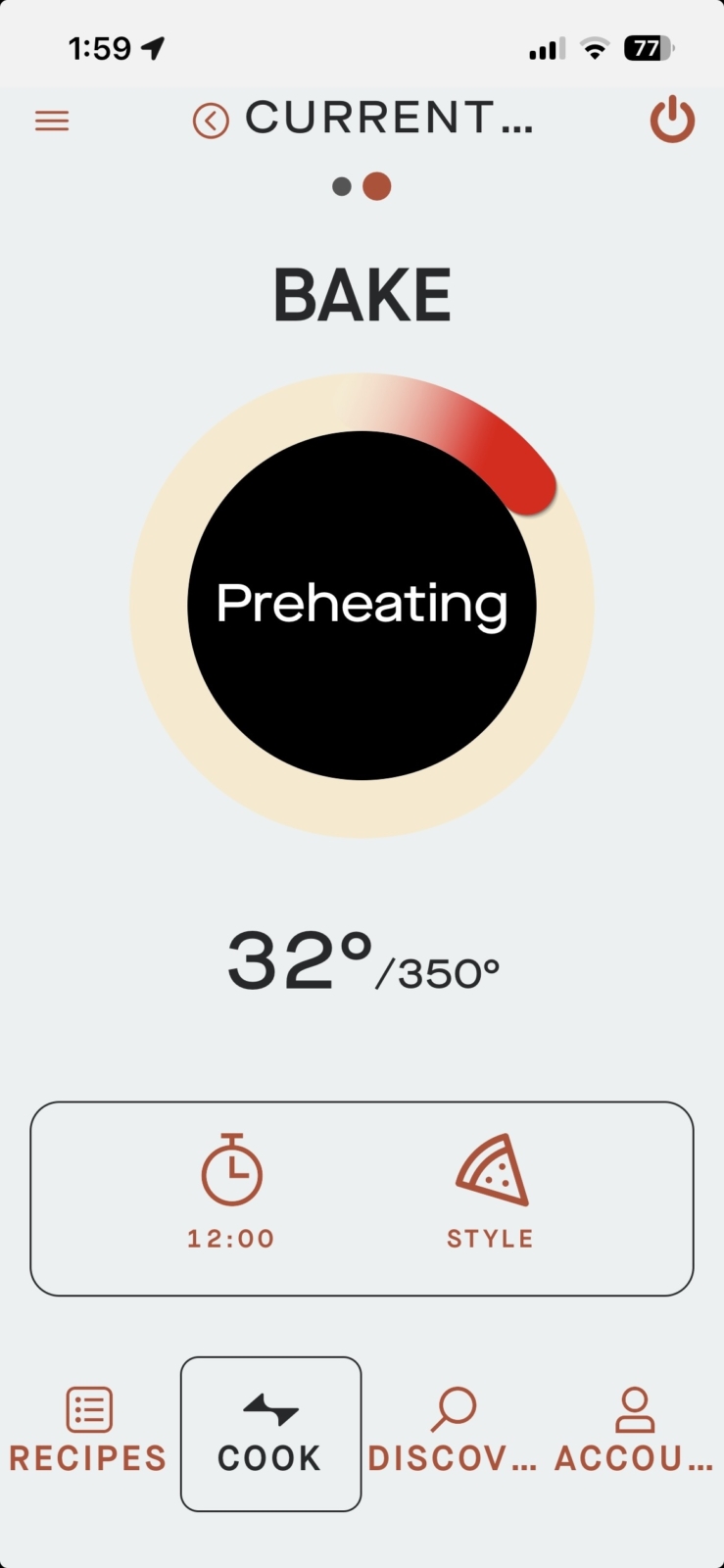
My first test on the new unit was Bake mode for some salmon Wellington I bought at Fresh Market. The instructions said to bake the Wellington at 350°F for 25 to 30 minutes. I had the oven outside in freezing temperatures to see how it would perform. You can see in the screenshot that the oven temp had to climb from 32° to 350°F. It took a few minutes longer to get to temp, but not much, a sign of a well-insulated oven.
In Bake mode, Current’s preset bake time is 12 minutes. That wasn’t long enough to bring the salmon’s internal temp up to 130°F, so I kept adding time for a total cooking time of 30 minutes. With those adjustments, the salmon came out perfectly cooked.
Detroit take 2
Time for another Detroit-style pizza using Model P’s new Detroit mode. This time, the parbake worked great and the crust was a nice amber color on the bottom, just firm but not too browned on top. Of course, I had to adjust the preset cooking time of 9 minutes to just 4 minutes. But the crust came out just the way it should.
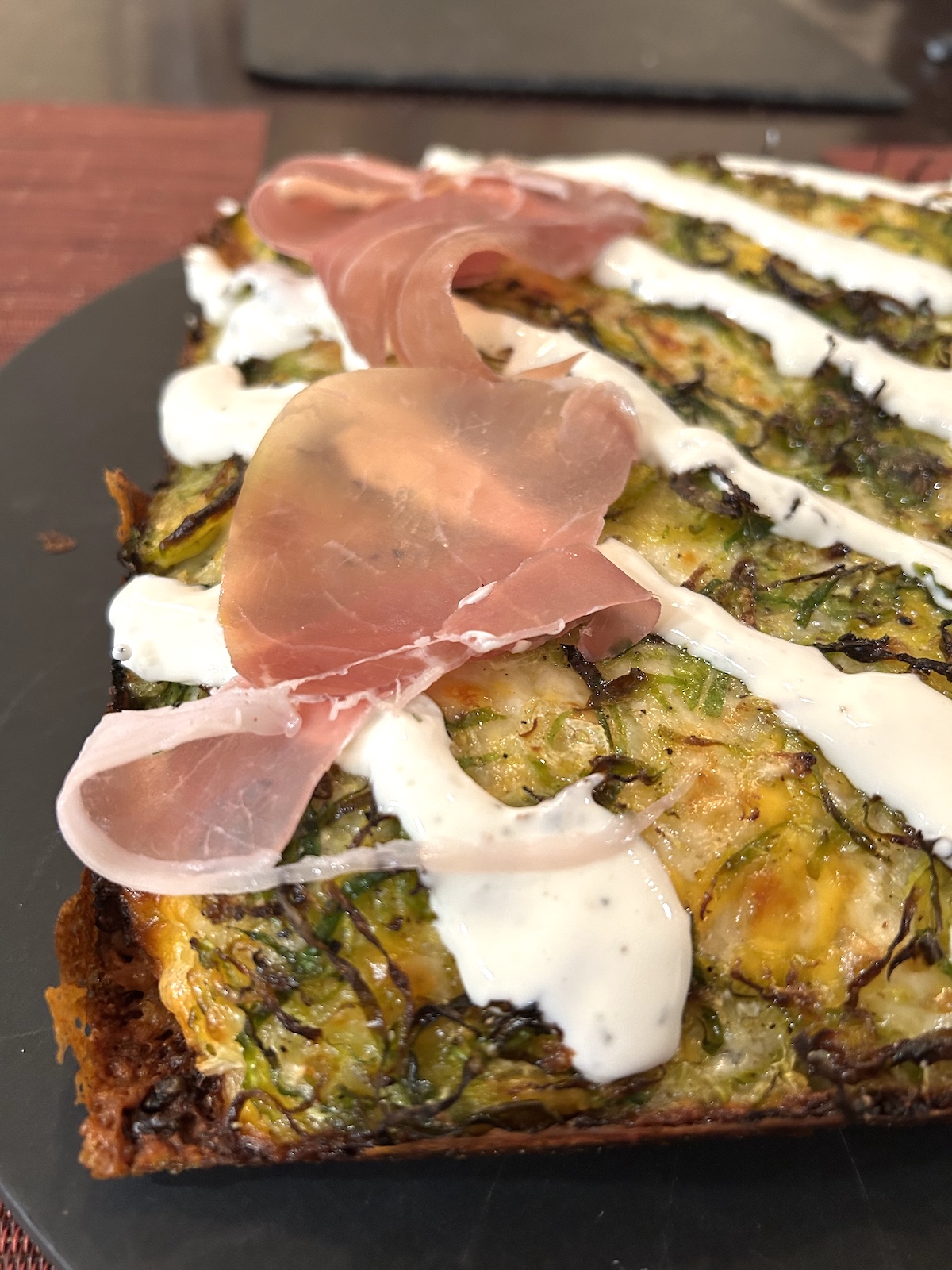
This one was a shaved Brussels sprouts white pizza with caramelized onions, Boursin cream sauce and prosciutto. Yowza. The prosciutto really makes it. Again, I changed the 9-minute preset cook time, this time extending it to 12 minutes, which is the ideal bake time to get a nice crunchy crust and deeply browned frico (fried cheese) on my Detroit-style pies.
Current says you don’t need to rotate pizzas in the Model P because of the even heating. But I found that rotating pizzas back to front just once produced more even baking results, for all pizza styles. The empirical cook tests squared with my temperature tests, which found that Model P runs about 25°F cooler in the front.
Sear mode
Lastly, I tested Model P’s sizzle plates. I was a little concerned that the graphite heating elements inside might shatter if I clunked them with the heavy cast iron. So I handled the sizzle plates with kid gloves (well, actually, grill gloves).
Normally, I like to reverse sear pork chops. That requires two different cooking temps. I sprinkled the chop with Meathead’s Smoked Pork Seasoning and Dry Brine a day ahead. It was only meant to be a few hours ahead, but I had to punt cooking the pork to the next day (life happens!). The pork chop turned out great anyway.
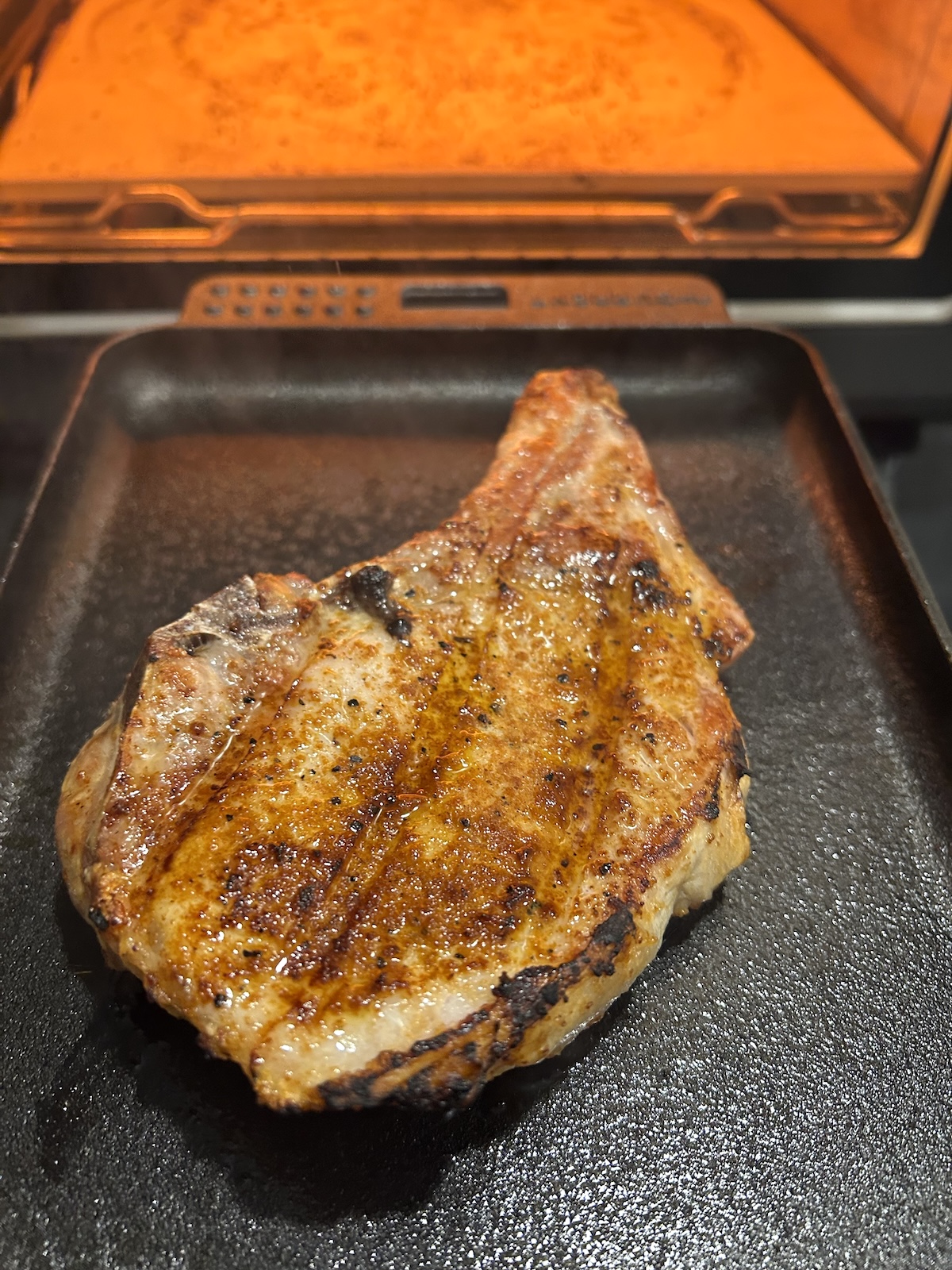
For this cook, I already had my regular kitchen oven going at 350°F, so I decided to put the chop in there until it reached 110°F internal temperature and then pop it in the Current on the sizzle plate on Sear mode to brown the surface. I suppose you could reverse sear entirely in the Model P, first using the oven’s Bake mode (350°F preset temp) and then switching to its Sear mode (680°F preset temp). But, like I said, I already had my regular oven going. The pork came out nice and juicy with some good Maillard browning on the surface. Incidentally, the browned “grill” marks you see in the photo are from the rack I set the chop on in my regular oven, not from Current’s sizzle plate.
Conclusion
I tested and cooked on the Current Model P Smart Pizza Oven for more than 4 months, making various pizzas, meats, and vegetables. It’s really designed as a pizza oven but with the additional cook modes and things like the sizzle plates (sold separately), Model P is not just a one-trick pony. It’s a versatile electric oven that heats up quickly, holds temperature well, and bakes top-quality pizzas.
This oven also makes a lot of noise, beeping and alerting your smart phone about every stage of the cooking process. Some folks make like that; others may not.
Pros
- Compact and suitable for indoor and outdoor use
- Bakes very good pizzas in several styles with precise algorithms for heating and timing
- 8 cook modes offer versatility beyond just pizza
- App offers remote oven controls and pizza fine tuning via smartphone
- Future firmware updates may expand the oven’s capabilities
Cons
- Oven cannot be set for temperatures of 475°F and 745°F
- Somewhat short power cord (42”) may limit oven placement
- High power draw may restrict shared electrical outlet
- No pizza peel or cover included
- App does not offer complete remote control
I’m not much of a rule follower. I ask questions. Do things my own way. When it comes to cooking appliances, I tend to work a piece of equipment to see what it can do rather than just follow instructions. I think a smart pizza oven should make cooking feel easier, not more technical, but it was the latter for me. The Current Model P Smart Pizza Oven is for those who prefer to push buttons, get alerts, and have their devices do all the thinking for them. I fully accept that I may not be the target audience for this product.
Regardless, the end results speak for themselves. The Model P makes damn fine pizzas. And it’s the world’s first “smart” pizza oven. A Gold Medal it is.
We thank Current for supplying a Model P for our tests.
Warranty
- Stainless steel cooking chamber liner – 10 years
- Electronics and pizza stone – 2 years
- All other – 5 years

Product Information:
-
Model:Model P Smart Pizza Oven
-
Item Price :699.00
*Price Subject To Change -
Where to buy: ** buying from one of these suppliers will help support this website.
-
Review Method:Cooked On It
We have hands-on experience testing this product. We have also gathered info from the manufacturer, owners and other reliable sources. -
Primary Function:Pizza Oven
-
Fuel:Electric
Manufacturer:
-
Current Backyard

Current Backyard is an offshoot of Char-Broil. They are dedicated to manufacturing electric powered outdoor cooking products, offering an electric grill, electric griddle, and a limited selection of accessories.
Related articles
- Pizza And Flatbread Recipes (10 Recipes, 1 Article)
- The Best Tools For Perfect Pizza On The Grill (1 Page, 1 Article)
- Conditioning And Seasoning A Pizza Stone
- Grilled Pizza Margherita Recipe
- Try Marc Vetri’s Naples Style Pizza Dough for Your Next Pizza
- The Science Of Pizza On The Grill
Related reviews

High quality websites are expensive to run. If you help us, we’ll pay you back bigtime with an ad-free experience and a lot of freebies!
Millions come to AmazingRibs.com every month for high quality tested recipes, tips on technique, science, mythbusting, product reviews, and inspiration. But it is expensive to run a website with more than 2,000 pages and we don’t have a big corporate partner to subsidize us.
Our most important source of sustenance is people who join our Pitmaster Club. But please don’t think of it as a donation. Members get MANY great benefits. We block all third-party ads, we give members free ebooks, magazines, interviews, webinars, more recipes, a monthly sweepstakes with prizes worth up to $2,000, discounts on products, and best of all a community of like-minded cooks free of flame wars. Click below to see all the benefits, take a free 30 day trial, and help keep this site alive.
Post comments and questions below
1) Please try the search box at the top of every page before you ask for help.
2) Try to post your question to the appropriate page.
3) Tell us everything we need to know to help such as the type of cooker and thermometer. Dial thermometers are often off by as much as 50°F so if you are not using a good digital thermometer we probably can’t help you with time and temp questions. Please read this article about thermometers.
4) If you are a member of the Pitmaster Club, your comments login is probably different.
5) Posts with links in them may not appear immediately.
Moderators